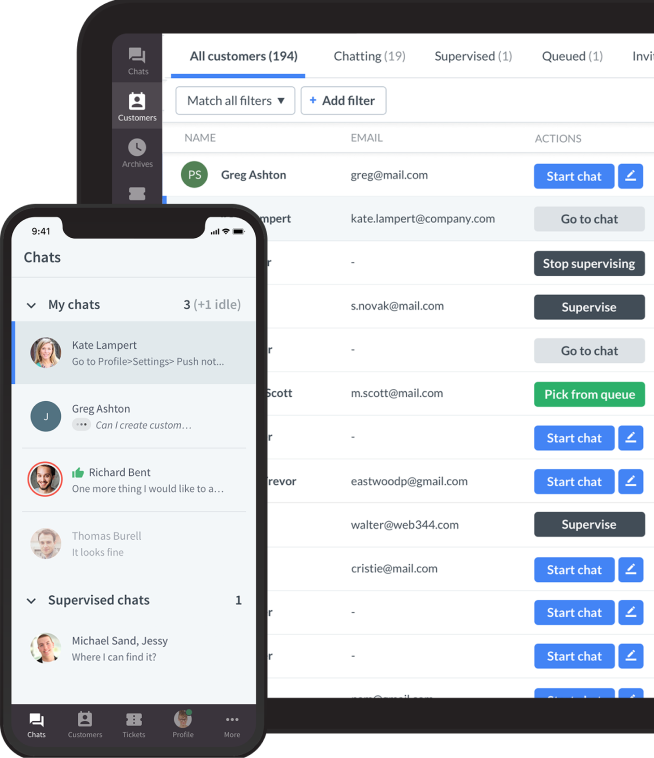


Customer service software helps teams manage customer conversations, resolve issues, and maintain context across channels such as email, live chat, messaging, social media, voice, and self-service.
The best platform is not necessarily the one with the longest feature list. It is the one that fits your support model: the channels customers use, the systems your team relies on, the workflows you need to automate, and the level of control your business requires.
Salesforce's State of Service research, based on responses from more than 5,500 service professionals, reflects continued investment in AI, data, and connected service operations. That does not mean every team needs the same technology. A small ecommerce business may need fast chat, order context, and a Shopify integration. A global support organization may need sophisticated case routing, governance, workforce controls, and CRM connectivity.
This guide compares 10 leading customer service software platforms for 2026. It also explains how to define your requirements, compare pricing models, run a useful pilot, and measure whether the software improves customer outcomes.
Best customer service software at a glance
| Software | Best for | Main channels | Standout capabilities | Price basis | Main limitation |
|---|---|---|---|---|---|
| Text | AI-powered customer conversations connected with human support | Chat, email, messaging, social, and voice depending on setup | AI agents, automation, inbox, context, handoff, reporting | Plan and usage dependent | Fit depends on the workflow and integrations being deployed |
| LiveChat | Real-time website support and conversational sales | Website chat and messaging integrations | Live chat, routing, agent workspace, reporting, integrations | Primarily per agent | Focused most strongly on live conversational support |
| Zendesk | Mature help desk and enterprise support operations | Email, messaging, chat, social, and voice | Ticketing, SLAs, routing, automation, reporting | Per agent, tier, and add-ons | Configuration and total cost can grow quickly |
| Freshdesk | Accessible multichannel help desk operations | Email, chat, social, and phone options | Ticketing, workflows, self-service, AI, automation | Per agent and plan tier | Advanced capabilities may require higher tiers or other modules |
| HubSpot Service Hub | Teams already using HubSpot CRM | Email, chat, messaging, and self-service | CRM context, help desk, feedback, knowledge, automation | Seats and Hub tier | Costs rise as teams add seats and advanced Hub capabilities |
| Intercom | SaaS and in-product customer communication | In-app, web chat, email, and messaging | Messenger, segmentation, automation, AI, proactive support | Seats and usage | Pricing and usage costs can be difficult to forecast |
| Salesforce Service Cloud | Enterprises centered on Salesforce CRM | Omnichannel | Case management, CRM, automation, knowledge, analytics | Per user, edition, and add-ons | Usually requires specialist implementation and administration |
| Help Scout | Smaller teams that value a simple shared inbox | Email, chat, and help center | Shared inbox, knowledge base, customer context | Users and contacts | Less suited to deeply customized enterprise operations |
| Gorgias | Ecommerce brands, especially Shopify merchants | Email, chat, social, and messaging | Order context, ecommerce actions, automation | Ticket volume and plan | Most compelling when ecommerce is the central use case |
| Zoho Desk | Teams using Zoho's business applications | Email, chat, social, and phone options | Ticketing, automation, reporting, Zoho integrations | Per agent and tier | Third-party ecosystem depth varies by requirement |
Vendor packaging and AI limits change frequently. Use this table to create a shortlist, then verify current pricing, included channels, usage allowances, and contract terms on each vendor's official website.
What is customer service software?
Customer service software is a platform that helps a business receive, organize, assign, resolve, and measure customer requests. It gives employees a shared place to work while preserving the context behind each customer relationship.
Customer service management software refers to a suite of tools and applications that help businesses manage and streamline their customer support activities. It includes features like ticket management, live chat, customer relationship management (CRM) integration, knowledge bases, and analytics.
At a minimum, the software should prevent conversations from getting lost across individual inboxes. More advanced platforms connect customer records, automate routing, surface approved knowledge, support self-service, and coordinate work across customer-facing and operational systems.
Customer service software may include a shared inbox, ticketing, live chat, messaging, call management, a knowledge base, workflow automation, AI assistance, customer profiles, SLA controls, and reporting.
Customer service software vs. help desk software
Help desk software traditionally centers on tickets: a request is created, assigned, tracked, and closed. This remains important for technical support, internal service teams, and work that needs formal ownership.
Customer service software is usually broader. It may combine ticketing with live conversations, proactive messaging, customer context, self-service, feedback, and revenue-focused interactions. In practice, vendors use both labels, so evaluate the actual workflow rather than the category name.
Customer service software vs. CRM software
A CRM stores and organizes commercial relationships, including accounts, contacts, opportunities, and activity history. Customer service software manages the operational work required to answer questions and resolve issues.
Build stronger customer relationships
Get LiveChat for your website and achieve higher levels of customer satisfaction and loyalty.
Trusted by 36,000+ companies

The two systems should exchange relevant context. A support agent may need to see the customer's plan, purchase history, account owner, or renewal date. A sales or success team may need visibility into unresolved service issues. This does not mean every business needs one platform for both jobs.
Customer service software vs. chat software
Chat software specializes in real-time conversations. A broader service platform may also manage asynchronous messages, email cases, knowledge, workflows, reporting, and handoffs between departments.
If your main requirement is selecting a conversational automation tool, use our guide to customer service chatbots. This article owns the broader decision about the platform that coordinates service work.
Customer service software vs. AI customer service agents
An AI customer service agent can understand a request, retrieve approved information, and take a permitted action. Customer service software provides the wider operating environment: channels, customer context, routing, permissions, reporting, and human escalation.
Read our AI customer service agent guide if your primary question is how action-capable AI works, where it should stop, and how to implement it safely.
What types of customer service software are available?
The category includes several product models. Knowing which model you need makes a shortlist more useful than comparing every vendor against every feature.
Shared inbox software
A shared inbox brings team email and other messages into one workspace. It is a practical starting point for smaller teams that need ownership, internal notes, collision detection, and reporting without a complex case-management system.
Help desk and ticketing software
Help desk platforms turn incoming requests into trackable cases. They are useful when teams need queues, priorities, SLAs, assignment rules, status controls, and a documented resolution history.
Live chat and messaging software
Live chat software helps teams respond while customers are active on a website or inside a product. It is valuable for urgent support, purchase questions, onboarding, and conversations where real-time clarification improves the outcome.
Omnichannel customer service platforms
An omnichannel platform attempts to preserve customer identity and conversation context as an interaction moves between channels. That is different from merely offering several disconnected channels.
The most important test is not the number of channel icons on a pricing page. It is whether the next employee can see what the customer already asked, what the business already promised, and what actions have already been taken.
Ecommerce customer service software
Ecommerce-focused platforms connect conversations with orders, delivery information, returns, inventory, and product data. They can let agents or controlled automation complete common commerce actions without moving between several applications.
Keep the buying decision anchored in commerce operations. A platform that excels for a Shopify brand may not be the right system for a B2B software company with technical cases and account-based SLAs.
AI-powered customer service platforms
AI may appear as agent assistance, conversation summaries, suggested replies, intent detection, automated quality checks, self-service, or autonomous workflows. These capabilities carry different levels of risk and should not be evaluated as one feature.
Ask which knowledge sources the AI can use, which actions it can take, how permissions work, how a person reviews its output, and what happens when it is uncertain.
Key customer service software features
A useful requirements document separates essential capabilities from features that merely look impressive in a demonstration.
Unified conversation workspace
Employees need one place to see assigned work, customer history, internal notes, and previous actions. The workspace should reduce unnecessary switching without burying the agent under irrelevant information.
Ticketing, routing, and queue management
Look for ownership rules, priorities, groups, skills-based routing, workload controls, SLAs, and escalation. Test what happens when an employee is unavailable or when a request is reassigned between teams.
Live chat and asynchronous messaging
Real-time chat helps when the customer is available now. Asynchronous messaging lets a conversation continue without forcing both sides to remain online. Evaluate how the platform handles identity, notifications, transcripts, and channel switching.
Knowledge base and self-service
A knowledge base gives customers and employees an approved source of information. Strong systems make content discoverable, assign ownership, reveal failed searches, and show where documentation no longer answers customer questions.
Self-service should create successful outcomes, not simply block contact. Gartner reports an average self-service success rate of only 14%, which is a useful warning against treating deflection alone as the goal.
Automation and workflow orchestration
Automation can classify requests, apply tags, route work, request information, trigger notifications, update records, and coordinate follow-up. Start with repetitive work governed by clear rules.
For the broader operating model, including what to automate and what should remain human-led, see our guide to customer service automation.
AI assistance and AI agents
Agent assistance can summarize conversations, retrieve knowledge, translate messages, and suggest responses for a person to review. Autonomous AI can complete approved workflows when identity, data, permissions, and escalation are designed properly.
Do not accept a general claim that a platform "has AI." Ask for a live demonstration of your workflow, its source controls, an incorrect request, a low-confidence answer, and a human handoff.
Customer profiles and context
The platform should display the information employees need to solve the issue. That may include account status, purchase history, previous conversations, subscription details, or product usage.
More data is not automatically better. Limit access according to role and task, and avoid exposing sensitive information that is not necessary for the conversation.
Integrations and APIs
Review native integrations, marketplace apps, APIs, webhooks, rate limits, authentication, and the vendor's approach to version changes. A logo on an integrations page does not prove that the connection supports your required action.
Create an integration matrix that identifies the source of truth, data direction, action, owner, and failure behavior for every critical system.
Analytics and quality management
Useful reporting covers demand, response, resolution, repeat contact, SLA performance, customer feedback, queue health, and agent workload. Quality management should help reviewers inspect conversations and identify patterns, not merely assign a score.
Security, privacy, and governance
Evaluate access controls, audit logs, encryption, data retention, regional requirements, incident processes, vendor subprocessors, and deletion workflows. Regulated teams should involve security, privacy, and legal stakeholders before the shortlist is final.
If the platform uses generative AI, NIST's Generative AI Profile offers a useful framework for governance, testing, content provenance, and incident management.
How to choose customer service software
The buying process should produce evidence that the software works for your customers and employees, not just a scorecard filled out from vendor websites.
1. Audit customer demand
Review several months of chats, tickets, emails, calls, and social messages. Group the work by contact reason, channel, volume, complexity, urgency, and business impact.
Note where customers repeat themselves, where cases are transferred, where employees search for information, and where a simple request becomes a long operational workflow.
2. Define required outcomes
Translate pain points into outcomes. "We need AI" is not an outcome. "Authenticated customers can get an accurate order status and the correct next step without opening a ticket" is specific enough to test.
Prioritize outcomes using customer value, employee effort, volume, implementation complexity, and the cost of an error.
3. Decide which channels matter
Choose channels based on customer behavior and your ability to operate them well. Supporting email, chat, messaging, social, and voice is not useful if each channel creates a separate queue and customer record.
Ask how identity and context move between channels, how service hours are communicated, and how asynchronous replies are assigned.
4. Map integrations and data
List every system the service workflow needs to read or update. Common examples include CRM, ecommerce, payments, subscriptions, identity, shipping, product analytics, and internal collaboration tools.
Classify each integration as essential for launch, useful after launch, or optional. This protects the implementation from becoming an attempt to connect the entire technology stack at once.
5. Set automation boundaries
Define what software may do automatically, what requires employee review, and what must always go to a specialist. Include identity failures, policy exceptions, emotionally charged interactions, fraud, safety, legal matters, and high-value retention cases.
The escalation route should be part of the workflow design. A customer should not have to restart after automation reaches its limit.
6. Compare the total cost
License price is only one component. Model seats, contacts, conversations, tickets, AI resolutions, usage overages, channel add-ons, integrations, implementation services, training, migration, and ongoing administration. software provider charges can vary widely between a free plan, paid plans, and usage-based AI pricing.
Run at least three volume scenarios. A plan that looks affordable at current volume may become expensive when a pricing unit grows faster than the team. Some AI-native platforms charge once per conversation, which can help avoid double-metering in the cost model.
7. Test with realistic cases
Give shortlisted vendors the same anonymized scenarios. Include a routine request, an ambiguous question, a repeat contact, a channel transfer, a policy exception, and a request that must escalate.
Ask frontline employees to participate. They will notice operational friction that is easy to miss in a procurement demonstration.
8. Evaluate administration
The team must be able to maintain routing, knowledge, permissions, reports, and automations after launch. Identify which changes require a vendor, developer, administrator, or no-code configuration.
Ask how the platform supports testing, versioning, rollback, sandbox environments, and audit history.
9. Run a controlled pilot
Pilot one channel, workflow, customer segment, or support group. Record a baseline before launch and agree on the quality threshold required to expand.
Review real conversations frequently. Averages can hide a workflow that fails badly for a small but important customer group.
The 10 best customer service software platforms for 2026
The following profiles use the same comparison fields. They are a starting point for a shortlist, not a substitute for testing the platforms against your own requirements.
10 best customer service software platforms for 2026
Customer service software helps teams manage customer conversations, resolve issues, and maintain context across channels such as email, live chat, messaging, social media, voice, and self-service.
The best platform is not necessarily the one with the longest feature list. It is the one that fits your support model: the channels customers use, the systems your team relies on, the workflows you need to automate, and the level of control your business requires.
Salesforce's State of Service research, based on responses from more than 5,500 service professionals, reflects continued investment in AI, data, and connected service operations. That does not mean every team needs the same technology. A small ecommerce business may need fast chat, order context, and a Shopify integration. A global support organization may need sophisticated case routing, governance, workforce controls, and CRM connectivity.
This guide compares 10 leading customer service software platforms for 2026. It also explains how to define your requirements, compare pricing models, run a useful pilot, and measure whether the software improves customer outcomes.
Best customer service software at a glance
| Software | Best for | Model | Main channels | Standout capabilities | Price basis | Main limitation |
|---|---|---|---|---|---|---|
| Text | AI-powered customer conversations connected with human support | Cloud platform | Chat, email, messaging, social, and voice depending on setup | AI agents, automation, inbox, context, handoff, reporting | Plan and usage dependent | Fit depends on the workflow and integrations being deployed |
| LiveChat | Real-time website support and conversational sales | Cloud platform | Website chat and messaging integrations | Live chat, routing, agent workspace, reporting, integrations | Primarily per agent | Focused most strongly on live conversational support |
| Zendesk | Mature help desk and enterprise support operations | Cloud platform | Email, messaging, chat, social, and voice | Ticketing, SLAs, routing, automation, reporting | Per agent, tier, and add-ons | Configuration and total cost can grow quickly |
| Freshdesk | Accessible multichannel help desk operations | Cloud platform | Email, chat, social, and phone options | Ticketing, workflows, self-service, AI, automation | Per agent and plan tier | Advanced capabilities may require higher tiers or other modules |
| HubSpot Service Hub | Teams already using HubSpot CRM | Cloud platform | Email, chat, messaging, and self-service | CRM context, help desk, feedback, knowledge, automation | Seats and Hub tier | Costs rise as teams add seats and advanced Hub capabilities |
| Intercom | SaaS and in-product customer communication | Cloud platform | In-app, web chat, email, and messaging | Messenger, segmentation, automation, AI, proactive support | Seats and usage | Pricing and usage costs can be difficult to forecast |
| Salesforce Service Cloud | Enterprises centered on Salesforce CRM | Cloud platform | Omnichannel | Case management, CRM, automation, knowledge, analytics | Per user, edition, and add-ons | Usually requires specialist implementation and administration |
| Help Scout | Smaller teams that value a simple shared inbox | Cloud platform | Email, chat, and help center | Shared inbox, knowledge base, customer context | Users and contacts | Less suited to deeply customized enterprise operations |
| Gorgias | Ecommerce brands, especially Shopify merchants | Cloud platform | Email, chat, social, and messaging | Order context, ecommerce actions, automation | Ticket volume and plan | Most compelling when ecommerce is the central use case |
| Zoho Desk | Teams using Zoho's business applications | Cloud platform | Email, chat, social, and phone options | Ticketing, automation, reporting, Zoho integrations | Per agent and tier | Third-party ecosystem depth varies by requirement |
Vendor packaging and AI limits change frequently. Use this table to create a shortlist, then verify current pricing, included channels, usage allowances, and contract terms on each vendor's official website.
What is customer service software?
Customer service software is a platform that helps a business receive, organize, assign, resolve, and measure customer requests. It gives employees a shared place to work while preserving the context behind each customer relationship.
At a minimum, the software should prevent conversations from getting lost across individual inboxes. More advanced platforms connect customer records, automate routing, surface approved knowledge, support self-service, and coordinate work across customer-facing and operational systems.
Customer service software may include a shared inbox, ticketing, live chat, messaging, call management, a knowledge base, workflow automation, AI assistance, customer profiles, SLA controls, and reporting.
Customer service software vs. help desk software
Help desk software traditionally centers on tickets: a request is created, assigned, tracked, and closed. This remains important for technical support, internal service teams, and work that needs formal ownership.
Customer service software is usually broader. It may combine ticketing with live conversations, proactive messaging, customer context, self-service, feedback, and revenue-focused interactions. In practice, vendors use both labels, so evaluate the actual workflow rather than the category name.
Customer service software vs. CRM software
A CRM stores and organizes commercial relationships, including accounts, contacts, opportunities, and activity history. Customer service software manages the operational work required to answer questions and resolve issues.
The two systems should exchange relevant context. A support agent may need to see the customer's plan, purchase history, account owner, or renewal date. A sales or success team may need visibility into unresolved service issues. This does not mean every business needs one platform for both jobs.
Customer service software vs. chat software
Chat software specializes in real-time conversations. A broader service platform may also manage asynchronous messages, email cases, knowledge, workflows, reporting, and handoffs between departments.
If your main requirement is selecting a conversational automation tool, use our guide to customer service chatbots. This article owns the broader decision about the platform that coordinates service work.
Customer service software vs. AI customer service agents
An AI customer service agent can understand a request, retrieve approved information, and take a permitted action. Customer service software provides the wider operating environment: channels, customer context, routing, permissions, reporting, and human escalation.
Read our AI customer service agent guide if your primary question is how action-capable AI works, where it should stop, and how to implement it safely.
What types of customer service software are available?
The category includes several product models. Choose the model that matches your operating environment before comparing individual vendors.
| Software model | Best suited to | What to verify |
|---|---|---|
| Shared inbox | Smaller teams centralizing email and messages | Ownership, internal notes, collision detection, and reporting |
| Help desk and ticketing | Teams requiring formal cases, queues, priorities, and SLAs | Routing depth, lifecycle controls, escalation, and audit history |
| Live chat and messaging | Real-time support, sales, onboarding, and in-product conversations | Identity, staffing, asynchronous continuity, and channel handoff |
| Omnichannel platform | Organizations serving customers across several channels | Whether customer identity and context genuinely follow the conversation |
| Ecommerce service software | Retailers managing product, order, delivery, and return questions | Storefront data, order actions, seasonal scale, and commerce integrations |
| AI-powered platform | Teams automating or assisting defined service workflows | Knowledge sources, permissions, actions, testing, and human escalation |
The labels overlap. A platform may offer several models, but depth varies. Test whether the next employee can see what the customer already asked, what the business promised, and which actions have been taken.
Key customer service software features
A useful requirements document separates essential capabilities from features that merely look impressive in a demonstration.
| Capability | Questions to ask during evaluation |
|---|---|
| Unified workspace | Can employees see ownership, history, customer context, internal notes, and previous actions without unnecessary switching? |
| Routing and queues | Does it support priorities, groups, workload controls, skills, SLAs, reassignment, and escalation? |
| Chat and messaging | How does it handle identity, availability, asynchronous replies, transcripts, and channel changes? |
| Knowledge and self-service | Can teams govern sources, find failed searches, and measure successful outcomes rather than deflection alone? |
| Automation | Can it classify, route, request information, update records, recover from errors, and escalate safely? |
| AI | Which sources, permissions, actions, tests, audit records, and handoff controls are available? |
| Integrations | What can each connection read and write, and what happens when synchronization fails? |
| Reporting | Can teams measure resolution, repeat contact, SLA performance, CSAT, queue health, and employee effort? |
| Governance | Are access control, audit logs, retention, encryption, data location, subprocessors, and deletion covered? |
Self-service should create successful outcomes, not simply block contact. Gartner reports an average self-service success rate of only 14%. For a wider automation model, see our guide to customer service automation.
If a platform uses generative AI, NIST's Generative AI Profile offers a useful framework for governance, testing, content provenance, and incident management.
How to choose customer service software
The buying process should produce evidence that the software works for your customers and employees, not just a scorecard filled out from vendor websites.
1. Audit customer demand
Review several months of chats, tickets, emails, calls, and social messages. Group the work by contact reason, channel, volume, complexity, urgency, and business impact.
Note where customers repeat themselves, where cases are transferred, where employees search for information, and where a simple request becomes a long operational workflow.
2. Define required outcomes
Translate pain points into outcomes. "We need AI" is not an outcome. "Authenticated customers can get an accurate order status and the correct next step without opening a ticket" is specific enough to test.
Prioritize outcomes using customer value, employee effort, volume, implementation complexity, and the cost of an error.
3. Decide which channels matter
Choose channels based on customer behavior and your ability to operate them well. Supporting email, chat, messaging, social, and voice is not useful if each channel creates a separate queue and customer record.
Ask how identity and context move between channels, how service hours are communicated, and how asynchronous replies are assigned.
4. Map integrations and data
List every system the service workflow needs to read or update. Common examples include CRM, ecommerce, payments, subscriptions, identity, shipping, product analytics, and internal collaboration tools.
Classify each integration as essential for launch, useful after launch, or optional. This protects the implementation from becoming an attempt to connect the entire technology stack at once.
5. Set automation boundaries
Define what software may do automatically, what requires employee review, and what must always go to a specialist. Include identity failures, policy exceptions, emotionally charged interactions, fraud, safety, legal matters, and high-value retention cases.
The escalation route should be part of the workflow design. A customer should not have to restart after automation reaches its limit.
6. Compare the total cost
License price is only one component. Model seats, contacts, conversations, tickets, AI resolutions, usage overages, channel add-ons, integrations, implementation services, training, migration, and ongoing administration.
Run at least three volume scenarios. A plan that looks affordable at current volume may become expensive when a pricing unit grows faster than the team.
7. Test with realistic cases
Give shortlisted vendors the same anonymized scenarios. Include a routine request, an ambiguous question, a repeat contact, a channel transfer, a policy exception, and a request that must escalate.
Ask frontline employees to participate. They will notice operational friction that is easy to miss in a procurement demonstration.
8. Evaluate administration
The team must be able to maintain routing, knowledge, permissions, reports, and automations after launch. Identify which changes require a vendor, developer, administrator, or no-code configuration.
Ask how the platform supports testing, versioning, rollback, sandbox environments, and audit history.
9. Run a controlled pilot
Pilot one channel, workflow, customer segment, or support group. Record a baseline before launch and agree on the quality threshold required to expand.
Review real conversations frequently. Averages can hide a workflow that fails badly for a small but important customer group.
The 10 best customer service software platforms for 2026
The following profiles use the same comparison fields. They are a starting point for a shortlist, not a substitute for testing the platforms against your own requirements.
1. Text: best for AI-powered customer conversations

Text is designed for teams that want AI-powered conversations, human support, automation, and customer context to work as one service experience.
Model and channels: Cloud customer service platform supporting conversational channels and connected workflows. Exact channel availability depends on the selected setup and integrations.
Key capabilities: AI agents, knowledge-grounded answers, automation, routing, customer context, human handoff, and reporting. It is a strong fit when a request may begin with AI but still needs a reliable path to an employee.
Text's distinguishing idea is that service conversations should contribute to revenue as well as efficiency. Its current platform combines an AI Agent, live chat, help desk, and inbox, while its reporting connects conversations with commercial outcomes. The workflow can monitor customer intent, engage proactively, let AI recommend or qualify, and pass the conversation to a person with context when judgment is needed.
The integration layer includes common commerce and website systems such as Shopify, WooCommerce, WordPress, and Webflow, alongside APIs and MCP connectivity. During evaluation, test the complete journey from customer signal to answer, action, handoff, and attributed outcome rather than evaluating each component in isolation.
Price basis: Plan and usage dependent. Model expected conversation volume, AI usage, seats, channels, and implementation requirements.
Main limitation: The value depends on choosing and integrating a real workflow. Teams seeking only a basic shared inbox may not need the full model.
Best for: Businesses designing connected AI and human service around measurable customer outcomes. Review Text pricing and trial options.
2. LiveChat: best for real-time website support
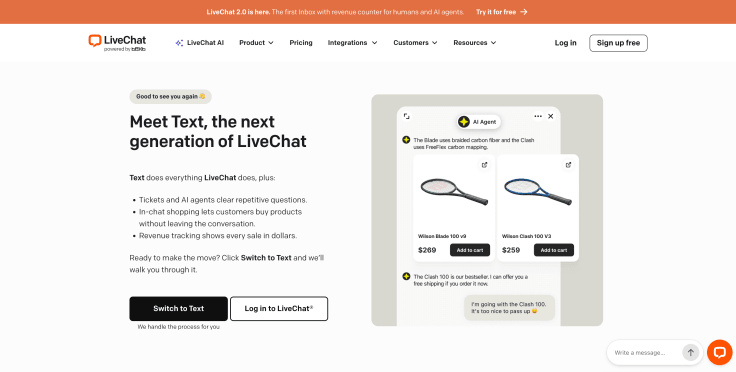
LiveChat specializes in immediate conversations between website visitors and customer-facing teams. It can support service, sales, onboarding, and other interactions where timing matters.
Model and channels: Cloud live chat platform with a website widget and messaging integrations.
Key capabilities: Customizable chat, routing, agent workspace, customer details, reports, staffing tools, and a broad integration marketplace.
LiveChat is deeper than a basic website widget. Its current feature set includes rich messages, chat transfers, ratings, asynchronous communication, targeted messages, assignment rules, agent groups, supervision, scheduling, and ecommerce reporting. Messaging options include email, WhatsApp Business, Facebook, Instagram for Business, SMS, and Apple Messages for Business, subject to setup and availability.
It also offers more than 200 integrations and developer tools, including webhooks, Chat API, Reports API, and a JavaScript widget API. This makes LiveChat suitable for businesses that want a mature conversational layer they can connect with CRM, ecommerce, marketing, or support systems.
Price basis: Primarily per agent and plan tier. Include any add-ons and connected products in the cost model.
Main limitation: It is strongest for conversational support. Teams centered on complex email case management should verify that the wider workflow fits.
Best for: Businesses that want fast, human-led website conversations and a mature live chat operation. Review LiveChat plans.
3. Zendesk: best for mature ticketing operations
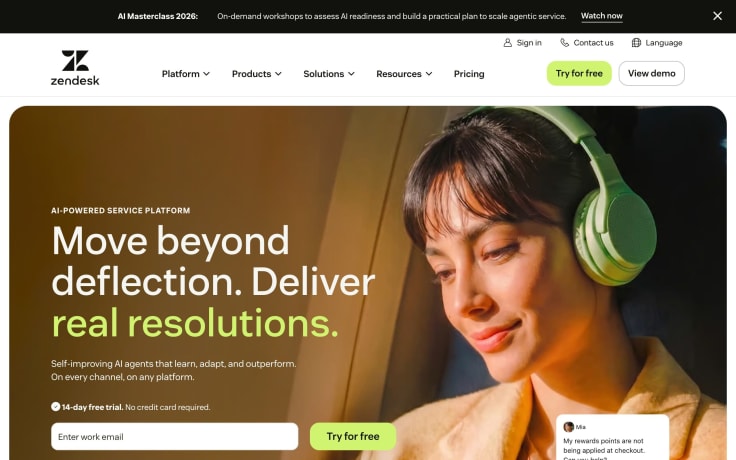
Zendesk is a widely used service platform with ticketing, messaging, knowledge, voice options, automation, and reporting.
Model and channels: Cloud help desk and service suite covering email, messaging, chat, social channels, and voice depending on edition and configuration.
Key capabilities: Ticket lifecycle management, queues, SLAs, routing, macros, self-service, analytics, AI options, and a large marketplace.
Zendesk's current positioning centers on a Resolution Platform that connects people, knowledge, and AI across channels. Beyond conventional ticketing, it emphasizes AI agents, customizable workflows, knowledge management, omnichannel monitoring, predictive insights, and controls for complex service environments.
Its strength is operational depth: multiple teams can standardize case handling while retaining detailed routing, escalation, and reporting. That flexibility also means buyers should test administration, data architecture, AI packaging, and the effort required to keep workflows understandable as the implementation grows.
Price basis: Usually per agent by suite tier, with add-ons and usage-based capabilities affecting total cost.
Main limitation: The platform can require substantial configuration and governance. Advanced requirements can raise both license and administration costs.
Best for: Established support organizations that need configurable case management across several teams.
4. Freshdesk: best for an accessible multichannel help desk

Freshdesk offers ticketing, automation, knowledge, collaboration, and multichannel options within the Freshworks ecosystem.
Model and channels: Cloud help desk with email, portal, chat, social, and phone capabilities depending on plan and related products.
Key capabilities: Ticket assignment, SLA management, workflow automation, self-service, collaboration, reports, and AI features.
Freshdesk is often easier to approach than a heavily customized enterprise platform while still covering the foundations of a formal service operation. Teams can use ticket views, assignment rules, canned responses, knowledge, customer portals, collaboration, and automation to move away from unmanaged shared email.
The broader Freshworks portfolio can extend the service model, but that makes package selection important. Confirm whether chat, voice, advanced analytics, AI assistance, and orchestration sit inside the proposed Freshdesk plan or require another product, add-on, or higher edition.
Price basis: Per agent and tier, with advanced functions or other Freshworks modules potentially adding cost.
Main limitation: Buyers need to confirm which channels, analytics, and AI capabilities belong to the exact package being considered.
Best for: Small and midsize teams moving from informal inbox-based support to structured help desk operations.
5. HubSpot Service Hub: best for HubSpot customers
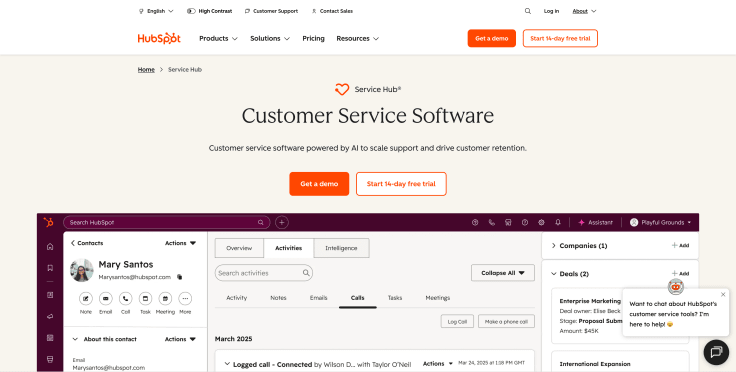
HubSpot Service Hub connects help desk capabilities with HubSpot's CRM, marketing, sales, and customer-success data.
Model and channels: Cloud service hub supporting email, chat, customer portals, knowledge, and messaging capabilities according to tier.
Key capabilities: Ticketing, shared inbox, CRM context, knowledge base, customer feedback, automation, success tools, and reporting.
Service Hub's clearest differentiator is the connection between support and the rest of the HubSpot customer platform. Service employees can work with marketing, sales, and CRM context, while customer-success features add health scoring, retention workflows, feedback management, and a workspace for managing a book of business.
Current capabilities include an AI-powered help desk, intelligent routing, SLA management, service analytics, customer portals, knowledge, call flows, and a Customer Agent for email and live chat. HubSpot also offers a large integration marketplace, which makes it attractive when service data should influence retention, upsell, and the wider customer journey.
Price basis: Seats and Hub tier. Model the cost of required features across the wider HubSpot subscription.
Main limitation: Advanced service capabilities can require higher tiers, and the strongest value appears when the business already uses HubSpot broadly.
Best for: Organizations that want service activity connected with an existing HubSpot customer record.
6. Intercom: best for SaaS and in-product support

Intercom combines in-product messaging, support automation, AI, and proactive customer communication.
Model and channels: Cloud conversational platform spanning web, in-app, email, messaging, and help-center experiences.
Key capabilities: Messenger, inbox, customer segmentation, automated workflows, AI support, product tours, outbound messaging, and reporting.
Intercom's current platform is built around a natively integrated help desk and Fin AI Agent. Human employees work in an omnichannel inbox with AI-powered ticketing and Copilot assistance, while Fin handles eligible customer conversations. Because both operate inside the same architecture, teams can inspect AI and human work together rather than joining separate products after the fact.
The messenger and in-product model remain important differentiators for SaaS. Intercom can support onboarding, contextual help, proactive messages, and service inside the application. Buyers should nevertheless separate useful service communication from excessive outbound messaging and test how usage-based AI costs behave at realistic volume.
Price basis: Commonly combines seats, plan level, and usage-based elements. Test realistic conversation and AI volumes.
Main limitation: Packaging and usage costs may be harder to predict than a simple per-agent plan, and teams need to govern proactive messaging carefully.
Best for: SaaS businesses that want service embedded in the product experience.
7. Salesforce Service Cloud: best for Salesforce enterprises
Salesforce Service Cloud provides case management and service capabilities within the Salesforce customer platform.
Model and channels: Enterprise cloud platform supporting omnichannel cases, digital engagement, voice, self-service, and field workflows through editions and add-ons.
Key capabilities: CRM context, case routing, knowledge, automation, analytics, customization, AI, and enterprise governance.
Service Cloud is strongest when service is part of a larger Salesforce operating model. Cases can draw on account and CRM information, route across channels and specialist teams, use knowledge and automation, and feed service data into enterprise analytics. Organizations can extend the model through the wider Salesforce platform and ecosystem.
This is valuable for complex account structures, regulated processes, global teams, and workflows that cross sales, service, field operations, or back-office systems. It is less attractive when the organization lacks Salesforce expertise or needs a lightweight tool that a small support team can administer independently.
Price basis: Per user and edition, plus implementation, administration, and relevant add-ons.
Main limitation: The platform's flexibility creates implementation and ownership requirements. Smaller teams may find it more complex than necessary.
Best for: Enterprises that already use Salesforce as a central customer system and can support a structured implementation.
8. Help Scout: best for straightforward customer support
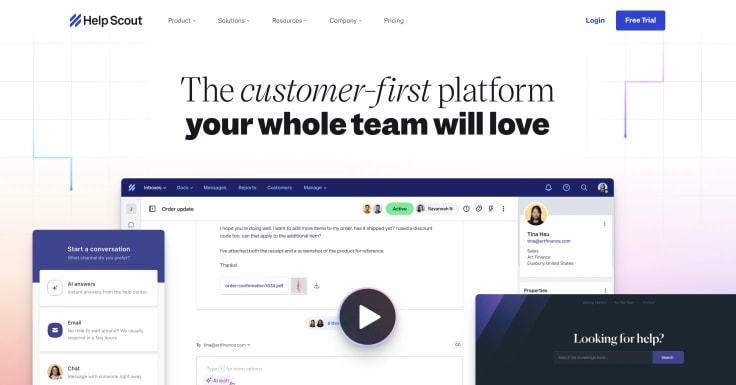
Help Scout emphasizes a simple shared inbox experience, customer context, live chat, and self-service.
Model and channels: Cloud support platform focused on email, chat, and help-center workflows.
Key capabilities: Shared inboxes, assignments, internal notes, customer profiles, knowledge base, chat, workflows, and reporting.
Help Scout is designed to make managed support feel closer to a normal customer conversation than a formal ticket exchange. Its shared inbox brings ownership, collaboration, saved replies, customer history, and reporting into a relatively straightforward workspace, while Beacon and Docs extend the experience to chat and self-service.
That simplicity is a meaningful differentiator for teams that do not want every interaction to become a complex case. During evaluation, test the exceptions: multi-team escalation, advanced SLAs, deeply customized objects, and high-volume omnichannel routing may reveal when a more configurable platform is required.
Price basis: Users, contacts, and plan capabilities depending on current packaging.
Main limitation: Organizations with complex routing, formal case hierarchies, or broad enterprise customization may need a more extensive platform.
Best for: Small and midsize customer teams that prioritize clarity and ease of use.
9. Gorgias: best for ecommerce support

Gorgias is built around ecommerce conversations and operational actions, with a particularly close fit for Shopify merchants.
Model and channels: Cloud ecommerce help desk supporting email, chat, social, and messaging channels.
Key capabilities: Order and customer context, ecommerce macros, automated responses, order actions, revenue reporting, and integrations with commerce applications.
Gorgias's current platform combines an ecommerce help desk with an AI Agent and shopping-assistance capabilities. Its inbox can bring together email, chat, SMS, WhatsApp, Instagram, and Facebook while displaying live Shopify information. Employees can perform actions such as canceling an order or applying a discount inside the conversation, depending on configuration and permissions.
The integration strategy extends beyond Shopify to platforms including BigCommerce, Magento, and WooCommerce, plus commerce applications such as Recharge, Klaviyo, Yotpo, and returns tools. Revenue attribution and proactive product guidance make it especially relevant when support also influences conversion and repeat purchase.
Price basis: Commonly tied to ticket volume and plan level, with automation or other usage affecting cost.
Main limitation: The specialization is less valuable when ecommerce orders and storefront systems are not central to the service workflow.
Best for: Ecommerce brands that want employees to answer and act on order-related questions from one workspace.
10. Zoho Desk: best for the Zoho ecosystem
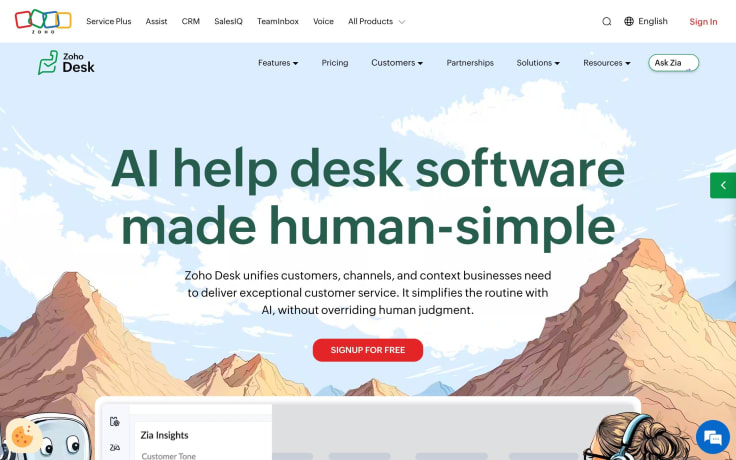
Zoho Desk provides ticketing, automation, self-service, and reporting with connections to Zoho's wider application suite.
Model and channels: Cloud help desk supporting email, chat, social, phone options, and customer portals by tier.
Key capabilities: Ticket management, workflow rules, SLAs, knowledge, analytics, AI assistance, and Zoho integrations.
Zoho Desk combines a contextual inbox with help-center, community, satisfaction, and reporting capabilities. Routing can consider skills, workload, and availability; collaboration includes shared ownership and internal notes; orchestration can trigger actions and guide employees through structured resolution processes.
Zia adds autonomous agents, drafting, and background assistance, with handoff when human judgment is required. Zoho also emphasizes connections across its own application ecosystem and hundreds of external apps. This creates a broad value proposition for teams willing to standardize around Zoho without committing to a heavier enterprise suite.
Price basis: Per agent and plan tier, with channel and feature availability varying across editions.
Main limitation: Confirm that required third-party integrations and advanced workflows match the depth available within the selected tier.
Best for: Cost-conscious teams already using Zoho CRM or other Zoho business tools.
Which customer service platform is best for your use case?
The shortlist should change according to the operating environment.
Best for small customer service teams
Smaller teams usually benefit from fast setup, a clear shared inbox, simple reporting, and limited administrative overhead. LiveChat is compelling when conversations are primarily real-time. Help Scout and Freshdesk are natural candidates when email and ticket ownership are central.
Avoid buying enterprise flexibility before the team has a real need for it. A simpler platform that employees use consistently can outperform a sophisticated system that nobody owns.
Best for ecommerce customer service
Ecommerce teams should prioritize order context, product information, shipping, returns, social conversations, and seasonal scalability. Gorgias deserves consideration for its commerce specialization, while Text and LiveChat support conversational journeys connected with human service.
Test whether a customer or controlled AI workflow can retrieve the correct order, explain the status, and escalate an exception without losing context.
Best for SaaS customer service
SaaS teams often need in-product communication, technical escalation, account context, and collaboration between support, success, and engineering. Intercom, Zendesk, HubSpot, and Text offer different approaches to this model.
Include a real technical case in the pilot. Check whether diagnostics, environment details, prior attempts, account tier, and product context reach the specialist.
Best for enterprise customer service
Large organizations need governance across regions, teams, brands, data, and channels. Salesforce Service Cloud and Zendesk commonly enter enterprise shortlists, while Text may fit organizations building an AI-enabled conversational model.
Prioritize security, data residency, permissions, audit history, workforce management, change control, and the cost of ongoing administration.
Best for AI-powered customer service
Choose based on the job assigned to AI. Suggested replies and summaries are different from customer-facing answers or autonomous actions.
Text is designed around connected AI and human conversations. Other platforms offer AI capabilities within their own service models. Test all of them against the same knowledge, permissions, edge cases, and escalation criteria.
Customer service software results from real businesses
Vendor feature lists explain what software can do. Customer results provide a better view of how tools behave under real operational pressure.
Wembley Stadium: handling event-driven demand
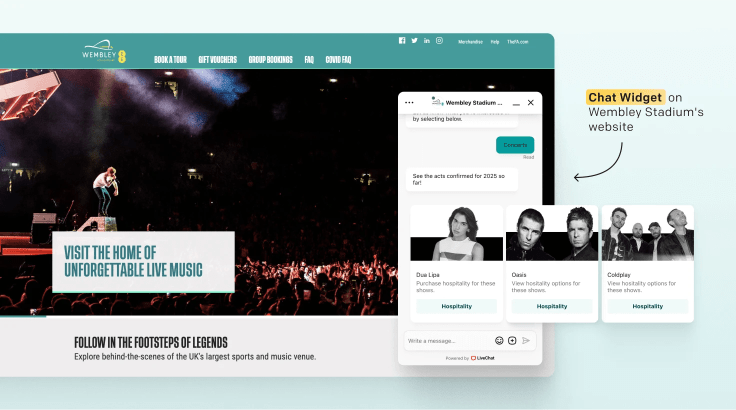
Wembley Stadium uses ChatBot and LiveChat for questions about events, tickets, hospitality, and accessibility. The organization reported that ChatBot handles an average of 12,000 conversations each month and that chat sourced more than $1.5 million in sales over eight months.
The operational lesson is the importance of current knowledge. Event information changes quickly, so content ownership and fast updates matter as much as the conversation interface.
Funded Trading Plus: maintaining service during disruption
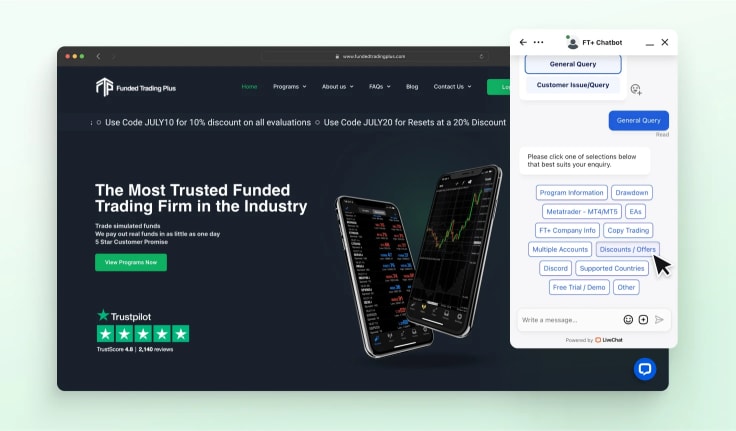
Funded Trading Plus reported about 125,000 chats a year, 93% CSAT for automated chats, and an 18% workload reduction. During an industry disruption, inquiries increased by 1,500% and the team updated flows while keeping human support available.
The lesson is that automation must be maintainable during a crisis. The software should let owners update information, collect structured context, create tickets, and escalate cases that no longer fit the standard path.
Hairlust: supporting localized ecommerce sites
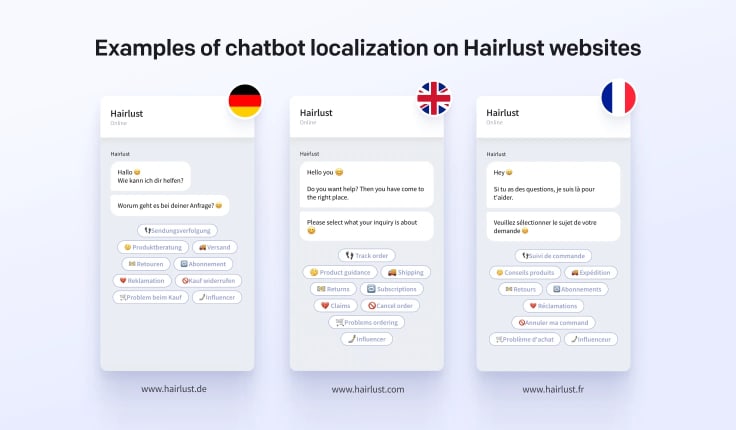
Hairlust used a centrally managed chatbot flow across 13 localized ecommerce sites serving more than 800,000 monthly visitors. The company reported a 20% reduction in communication time.
Localization involves more than translation. Product details, shipping, policies, and routing may differ by market, while the operating team still needs centralized control and consistent reporting.
What these customer stories have in common
The companies did not succeed because they switched on every feature. Each case connected software with a clear source of demand, maintained knowledge, defined workflows, and human support.
Use customer stories as evidence of patterns, not guaranteed outcomes. Your result will depend on demand, implementation quality, adoption, content, integrations, and measurement.
How to implement customer service software
Implementation is an operating change, not just a software configuration project.
| Phase | Objective | Main output | Readiness signal |
|---|---|---|---|
| Discovery | Understand demand and current friction | Contact-reason and workflow map | Requirements are linked to customer outcomes |
| Design | Define channels, ownership, data, and escalation | Future-state service design | Teams agree on roles and boundaries |
| Configure | Build queues, permissions, knowledge, and reports | Tested workspace | Core scenarios work end to end |
| Migrate | Move required records and content | Validated data and knowledge | Samples reconcile with source systems |
| Pilot | Test with a controlled audience | Pilot results and issue log | Quality thresholds are met |
| Launch | Move teams and customers safely | Production rollout | Owners can monitor and intervene |
| Improve | Review outcomes and recurring failure patterns | Prioritized improvement backlog | Changes follow a regular operating rhythm |
Build the implementation team
Assign an accountable business owner and include frontline support, operations, IT, security, data, and relevant customer-facing teams. Name owners for routing, knowledge, integrations, reporting, and training.
Clean knowledge before adding AI
Remove obsolete articles, resolve contradictory policy language, and assign review dates. AI makes weak knowledge more visible; it does not automatically repair it.
Design queues and ownership
Define how work enters, who owns it, how priority is calculated, and what happens when an SLA is at risk. Avoid reproducing every historical queue without asking whether it still serves customers.
Migrate only useful data
Decide which tickets, profiles, tags, attachments, and knowledge content employees need after launch. Test encoding, timestamps, ownership, links, permissions, and deletion requirements.
Train with real scenarios
Train employees on complete workflows, not isolated buttons. Include common questions, handoffs, exceptions, outages, privacy requests, and escalation to specialists.
Launch with visible support
Provide rapid help for employees during rollout. Monitor queues, failed integrations, duplicate cases, routing errors, and customer feedback more frequently than normal.
Improve after launch
Review repeat contacts, transfers, unresolved cases, search failures, automation errors, and knowledge gaps. Treat configuration and content as maintained service assets.
Metrics for customer service software
Measure whether the platform improves outcomes for customers and employees.
| Metric | What it reveals | How to interpret it |
|---|---|---|
| First response time | How quickly a customer receives an initial reply | Pair speed with quality; a fast acknowledgment may not advance the issue |
| Resolution rate | How often the team delivers the defined outcome | Define resolution by workflow and watch for reopened or repeated cases |
| Repeat-contact rate | Whether customers return about the same issue | Review the answer, action, and handoff path behind repeat demand |
| Transfer rate | How often ownership moves between employees or teams | Separate necessary specialist routing from avoidable transfers |
| SLA attainment | Whether priority commitments are met | Segment by queue, channel, region, and case type |
| Customer satisfaction | How customers evaluate the interaction | Combine the score with comments and operational data |
| Employee effort | How much work is required to resolve a case | Look at switching, searches, manual updates, and post-handoff work |
| Self-service success | Whether customers achieve an outcome without assistance | Do not count a session as successful merely because no ticket was created |
| Automation failure | Where rules or AI produce an incorrect or incomplete outcome | Review severity and recurring patterns, not only the percentage |
| Cost per resolved request | The operating cost associated with successful outcomes | Include software, labor, implementation, and usage-based charges |
Frequently asked questions
What is the best customer service software?
The best customer service software depends on your service model. Text is a strong candidate for connected AI and human conversations. LiveChat specializes in real-time website support. Zendesk and Salesforce Service Cloud fit complex operations, while Gorgias is designed around ecommerce.
What is the best customer service software for a small business?
Small businesses should prioritize quick setup, clear ownership, reliable core channels, useful integrations, and predictable costs. LiveChat, Help Scout, Freshdesk, and Zoho Desk may belong on the shortlist depending on whether the team is centered on chat or tickets.
What is the best customer service platform for ecommerce?
Gorgias is built specifically around ecommerce workflows. Text and LiveChat are relevant when conversational support, AI, and human handoff are central. Test order lookup, delivery questions, returns, product information, and Shopify or storefront integration.
What features should customer service software include?
Most teams need a shared workspace, ownership, routing, customer context, reporting, integrations, knowledge, and escalation. Add channels, SLAs, automation, AI, voice, workforce management, or enterprise controls according to actual requirements.
How much does customer service software cost?
Vendors may charge by agent, seat, contact, ticket, conversation, resolution, usage, channel, or feature tier. Calculate the total cost of licenses, add-ons, implementation, migration, integrations, training, administration, and AI usage.
Is customer service software the same as a CRM?
No. A CRM primarily manages customer and commercial relationships. Customer service software manages the work of answering questions and resolving issues. The systems often integrate and may be sold within the same suite.
What is the difference between customer service and customer support software?
The terms are often used interchangeably. Customer support may emphasize issue resolution and technical assistance, while customer service can include broader relationship, purchase, onboarding, and proactive interactions.
Does customer service software include live chat?
Many platforms include live chat directly or through an integrated product, but depth varies. Many platforms treat phone calls as a separate channel and often rely on external voice providers rather than hosting phone calls directly. Test routing, concurrency, messaging continuity, customer identity, transcripts, staffing, and reporting rather than checking only whether chat is listed.
Can customer service software automate support?
Yes. It can route work, apply rules, request information, retrieve knowledge, trigger actions, and resolve defined requests. Automation should have a clear owner, error handling, monitoring, and a route to a person.
Can AI replace customer service agents?
AI can handle some predictable work and assist employees, but people remain essential for exceptions, judgment, empathy, accountability, and sensitive cases. The strongest design gives AI a defined job and makes handoff part of the workflow.
How long does implementation take?
It depends on scope, data migration, channels, integrations, security review, customization, and the number of teams involved. A focused pilot can begin relatively quickly; an enterprise replacement may require a phased program.
How do you migrate customer service software?
Define the records and knowledge that must move, clean the data, map fields and permissions, test representative samples, run a pilot, and establish a rollback and support plan. Avoid migrating obsolete configuration solely because it exists.
How should customer service software be evaluated?
Use the same realistic scenarios for every shortlisted vendor. Score customer outcome, employee effort, integration behavior, administration, reporting, security, total cost, and the quality of failure and escalation paths.
Is omnichannel customer service software necessary?
It is useful when customers genuinely move between channels and expect continuity. If the business operates only one or two channels, a focused platform may be easier to run. Omnichannel value comes from shared context, not channel count.
How often should customer service software be reviewed?
Review workflows, knowledge, automation, permissions, integrations, and costs throughout the year. Conduct a broader platform review when customer behavior, product strategy, service volume, risk, or contract terms change materially.
Choosing your customer service software for 2026
Begin with the work customers need to complete. Identify the required channels, data, ownership, automation boundaries, and measures of success. Then test a small number of platforms against those requirements.
The right customer service software should make context easier to access, ownership clearer, routine work more efficient, and human help easier to reach. It should also give the business enough visibility to see when the experience is not working.
Choose the platform your organization can implement, govern, and improve. A well-owned system with clear workflows will create more value than a larger feature set without operational discipline.